
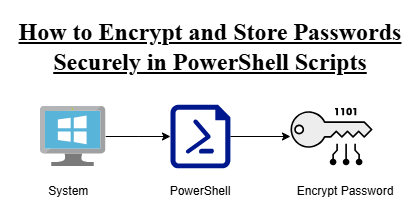
PowerShell: Hard-coding passwords in scripts is a common security risk. Plain-text credentials can be easily exposed if the script is shared, stored in Git, or accessed by others.
It’s offers a secure solution using SecureString and Windows Data Protection API (DPAPI) encryption, allowing passwords to be stored in encrypted form and decrypted only by the same user on the same machine.
- Encrypt a password
- Store it safely in a file
- Read it back securely inside a script
- Avoid plain-text credentials
The Problem (Insecure Way)
$password = "testpass"
Issues:
- Visible to anyone reading the file
- Exposed in Git repositories
- Security risk in production
- Violates best practices
Configure PowerShell to allow locally created scripts to run safely using the execution policy
Set-ExecutionPolicy -Scope CurrentUser RemoteSignedTo Check the Execution Policy:
PS C:\Users\USER\Desktop\health_checks> Get-ExecutionPolicy -List

        Scope ExecutionPolicy
        ----- ---------------
MachinePolicy       Undefined
   UserPolicy       Undefined
      Process       Undefined
  CurrentUser    RemoteSigned
LocalMachine UndefinedALSO READ:
- Linux Server Health Checks Dashboard: Build a Powerful Monitoring Tool 2026
- AWS S3 Backups with This Efficient Shell Script
- Bash Brackets Explained in Simple Words (With 8 Examples)
Click here to go to the GitHub repos link
Secure Approach Using Encryption
Windows Data Protection API (DPAPI) to encrypt SecureStrings.
Encrypt the password once (and never type it again)
Run this once to store your password securely:
Read-Host "Enter Password" -AsSecureString | ConvertFrom-SecureString | Out-File secret.txt
Output:
PS C:\Users\USER\Desktop\health_checks> Read-Host "Enter Password" -AsSecureString | ConvertFrom-SecureString | Out-File secret.txt
Enter Password: ********What happens:
- The password is encrypted
- Saved to
secret.txt - Only decryptable by the same user and machine
Example encrypted output:
01000000d08c9ddf0115d1118c7a00c04fc297eb...
Store Credentials Securely (secret.ps1)
$username = "testuser"

$securePassword = Get-Content "$PSScriptRoot\secret.txt" | ConvertTo-SecureString
$cred = New-Object System.Management.Automation.PSCredential ($username, $securePassword)

$password = $cred.GetNetworkCredential().Password
What this does:
- Reads encrypted password
- Converts to SecureString
- Creates credential object safely
- No hard-coded secrets
Use in Main Script (main.ps1)
. "$PSScriptRoot\secret.ps1"

Write-Host "Username: $username"
Write-Host "Password loaded securely"
Avoid printing passwords in real environments. Printing is only for testing/demo.
. "$PSScriptRoot\secret.ps1"

Write-Host "Username: $username"
Write-Host "Password value is: $password"
Output:
PS C:\Users\USER\Desktop\health_checks> .\main.ps1
Username: testuser
Password value is: testpass
PS C:\Users\USER\Desktop\health_checks>Security Benefits
This method provides:
- No plain-text passwords
- The file contains only encrypted data
- Bound to current user & machine
- Safe for automation scripts
- Works without external tools